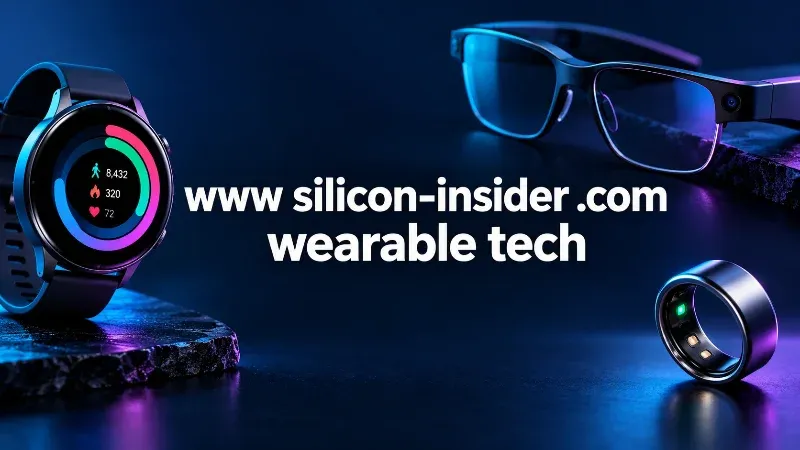
Wearable technology puts useful digital tools within easy reach. A watch can display directions during a walk. A fitness band can record daily activity. A smart ring can collect overnight data without adding another screen to your routine.
If you searched for www silicon-insider .com wearable tech, you may be looking for clear information about these devices. This guide explains the main categories, useful features, common limitations, and buying considerations. It does not represent or verify the website named in that search phrase.
The best wearable is one that solves a real problem. Before comparing designs or counting sensors, consider what you want the device to do. That simple decision makes the rest of the process easier.
What Is Wearable Technology?
Wearable technology includes electronic devices designed to sit on the body, attach to clothing, or become part of an accessory. These products use sensors, software, and wireless connections to collect information or provide digital functions.
Some wearables work mainly as phone companions. Others record activity independently and sync their data later. Certain models also support mobile connections, although service availability and extra charges vary.
Common examples include:
- Smartwatches with notifications, apps, and workout tools.
- Fitness bands focused on movement and everyday activity.
- Smart rings designed for discreet tracking.
- Smart glasses with selected audio, camera, or display features.
- Specialized sensors used for particular sports or professional tasks.
Devices within the same category can differ greatly. Always check the exact model.
Understanding www silicon-insider .com wearable tech Searches
A search phrase that includes a website name can suggest several goals. Readers may want a specific article, general technology coverage, or help comparing products.
However, a keyword alone does not establish a website’s expertise or confirm its claims. When reading wearable coverage, look for named products, clear testing methods, publication dates, and references to manufacturer documentation.
Separate product announcements from practical reviews. An announcement describes promised features. A useful review explains how those features behave during ordinary use.
For example, a battery claim becomes more helpful when the reviewer explains screen settings, workout duration, and charging habits. Context turns a specification into information you can use.
Main Types of Wearable Devices
Smartwatches
Smartwatches suit people who want several functions on their wrist. Depending on the model, they may display messages, run apps, control music, record workouts, and support payments.
Their main appeal is convenience. You can check selected information without reaching for your phone.
The tradeoff is complexity. More features can mean more settings, interruptions, and charging. Consider whether you want a small connected computer or a simpler activity tracker.
Fitness Bands
Fitness bands usually place activity tracking ahead of app variety. Their narrow design may appeal to people who dislike larger watches.
They can be useful for checking movement patterns and recording basic workouts. However, screen size, navigation, and available exercise tools vary.
Check whether the band has independent GPS or relies on your phone. That distinction matters if you want to record outdoor routes while leaving your phone behind.
Smart Rings
Smart rings offer a discreet alternative to wrist devices. Many focus on overnight measurements, activity summaries, and app-based insights.
Fit deserves particular attention. A ring should remain comfortable during daily activities and sleep. Follow the manufacturer’s sizing process instead of assuming your usual jewelry size will work.
Also review membership requirements. Some products place selected insights or historical information behind a subscription.
Smart Glasses
Smart glasses combine eyewear with digital functions. Depending on the product, these may include audio playback, cameras, voice controls, or visual displays.
Do not assume every pair includes a screen or supports the same tasks.
Consider weight, prescription options, battery life, and recording controls. Camera-equipped glasses also require awareness of other people’s privacy and local recording rules.
Wearable Technology Comparison Table
Use this table to narrow your options before comparing individual models.
| Device type | Main appeal | Suitable starting point for | Important checks |
|---|---|---|---|
| Smartwatch | Multiple connected functions | Notifications, apps, and workouts | Phone compatibility, charging, supported services |
| Fitness band | Simple activity tracking | Everyday movement and basic exercise | GPS type, screen readability, comfort |
| Smart ring | Discreet tracking | People who prefer no wrist screen | Sizing, subscriptions, app features |
| Smart glasses | Hands-free functions | Audio, capture, or supported visual tasks | Weight, prescription support, privacy controls |
| Sports sensor | Specialized measurements | Particular training activities | Supported sport, accessory compatibility, data export |
There is no universal winner. A device becomes valuable when its strengths match your routine.
Features That Matter More Than Marketing
Phone Compatibility
Start with compatibility before looking at colors or accessories.
Check your phone model, operating system version, required companion app, and regional availability. Some functions may require a particular phone brand or account.
For example, Samsung states that its newer Wear OS watches do not support iOS. Compatibility also varies across older products, so broad claims about an entire device category can mislead buyers.
Read the support page for the exact model you plan to purchase.
Battery Life and Charging
Battery life depends on how you use a wearable. Frequent workouts, bright displays, navigation, and mobile connectivity can change the charging schedule.
Compare standard operating modes with standard operating modes. A power-saving estimate may involve reduced functions.
Apple’s comparison information, for example, describes specific conditions behind battery testing. This makes the usage assumptions as important as the headline figure.
Also check charging time, cable availability, and whether a replacement charger is easy to obtain.
Comfort and Fit
A feature-rich device provides little value if you keep removing it.
Consider case weight, strap material, fastening style, and how the device feels during typing or exercise. For overnight tracking, test whether it catches on bedding or presses against your skin.
Try the product when possible. If you order online, check the return conditions before opening or wearing it extensively.
Water Resistance
Water resistance requires careful reading. A rating does not automatically mean a device suits every water activity.
Check the manufacturer’s instructions for swimming, diving, showers, and cleaning. Apple explains that water resistance is not permanent and can decrease over time.
Choose based on the activities the manufacturer permits, rather than interpreting a depth rating yourself.
How to Read Tracking Results Sensibly
Wearables can turn daily measurements into convenient charts. The challenge is understanding what those charts actually show.
A step count, sleep estimate, or activity score comes from particular sensors and software. Different products may process similar information differently.
For everyday use, look for repeated patterns rather than treating every small change as meaningful. Also check whether missing wear time, poor fit, or incomplete syncing affected the result.
Health-related features require extra care. The FDA evaluates certain sensor-based medical devices for specific intended uses. That does not mean every measurement or wellness score on a wearable has received the same review.
Read each feature’s stated purpose and limitations. Avoid treating a general wellness dashboard as a complete assessment of your health.
Privacy Questions Before You Connect
Wearables may collect activity records, location information, sleep estimates, and account details. Think about where that information goes before connecting several services.
Read the privacy policy and review the available controls. The FTC’s guidance for health-app developers highlights clear explanations of data collection, use, sharing, and security. These are useful points for consumers to examine too.
Ask practical questions:
- Can you export your information?
- Can you delete your account and stored records?
- Which connected apps receive access?
- Can you disable unnecessary location collection?
- What happens to your records if you stop paying?
Enable only the connections you need. Review permissions again when your habits change.
What Does a Wearable Really Cost?
The purchase price is only part of ownership.
Some devices require subscriptions for selected reports or coaching tools. Cellular models may involve a separate service plan. Replacement straps, chargers, and accessories can add further expense.
Before buying, calculate a simple two-year total:
Device price + membership fees + service charges + expected accessories.
Then ask what remains available if you cancel the paid services.
Repair support also matters. Check the warranty, battery service options, and local support arrangements. A discounted imported device may become less attractive if service is difficult to access.
A lower price offers value when the product still provides the functions and support you need.
Using www silicon-insider .com wearable tech Research Effectively
Turn your research into a short comparison sheet.
Choose two or three devices that fit your needs. Record their compatibility, charging requirements, essential features, ongoing fees, and return terms.
Next, compare evidence. Manufacturer documentation helps confirm supported functions. Independent testing can help explain comfort, usability, and performance during ordinary routines.
Pay attention to the review date. Software changes can affect features, while older reviews may describe a different subscription or app experience.
Finally, identify your deal-breakers. These could include daily charging, limited phone support, an uncomfortable fit, or a required membership. Remove unsuitable products early.
Set Up Your Device for Everyday Use
A thoughtful setup can make a wearable easier to live with.
Install the correct companion app and follow the manufacturer’s pairing instructions. Update the device before spending time customizing it.
Then reduce unnecessary notifications. Keep alerts that help you act, such as calls or calendar reminders, and disable those that interrupt without adding value.
Adjust the fit according to the product instructions. Set a charging routine that works around the features you want to use.
After several days, review the experience. Are you checking useful information or simply responding to another screen? Change the settings to support your routine.
Common Buying Mistakes
Avoid buying purely because a device appears frequently in advertisements.
Other common mistakes include overlooking subscription fees, assuming all phones work equally well, and choosing a large screen without checking comfort.
Do not pay extra for features you cannot explain a use for. Equally, do not choose a cheaper model that lacks your main requirement.
For example, someone who needs independent route recording should verify GPS support before prioritizing strap colors.
Write down three essential functions and three optional extras. This simple list helps prevent a long specification sheet from controlling the decision.
Frequently Asked Questions
Which wearable should a beginner consider?
Start with your main goal. A fitness band may suit simple activity tracking. A smartwatch may suit notifications and apps. Compare exact models rather than choosing by category alone.
Can a wearable work without a phone?
Some functions can work independently, but setup, syncing, updates, and selected services may require a compatible phone. Check the product’s documentation for details.
Do smart rings replace smartwatches?
They can replace some tracking functions for certain users. However, rings generally offer a different experience from devices with screens, apps, and wrist-based controls.
Is a subscription always necessary?
No. Requirements vary by product and feature. Confirm what the purchase includes and what becomes unavailable after a trial or membership ends.
Should I choose the device with the most sensors?
Sensor count alone does not establish usefulness. Consider whether the available measurements serve your goals and whether the software explains them clearly.
How can I judge a wearable review?
Look for clear testing conditions, specific examples, disclosed limitations, and a recent publication date. Treat unsupported claims and unexplained scores cautiously.
Conclusion
Researching www silicon-insider .com wearable tech can be a starting point for understanding connected devices. The next step is to focus on your own needs.
Choose a wearable that works with your phone, feels comfortable, protects access to your information, and fits your charging habits. Include ongoing fees in your budget.
Useful technology should make daily tasks easier. The right device earns its place through regular, practical use.